





India.
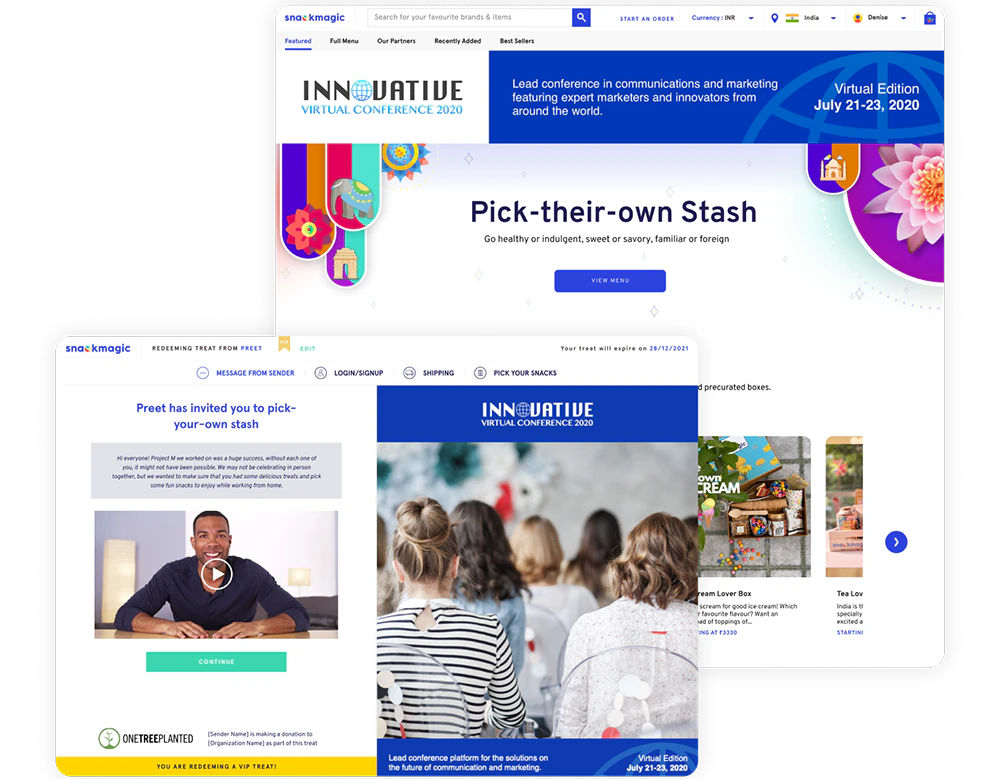
Branded Digital Experience
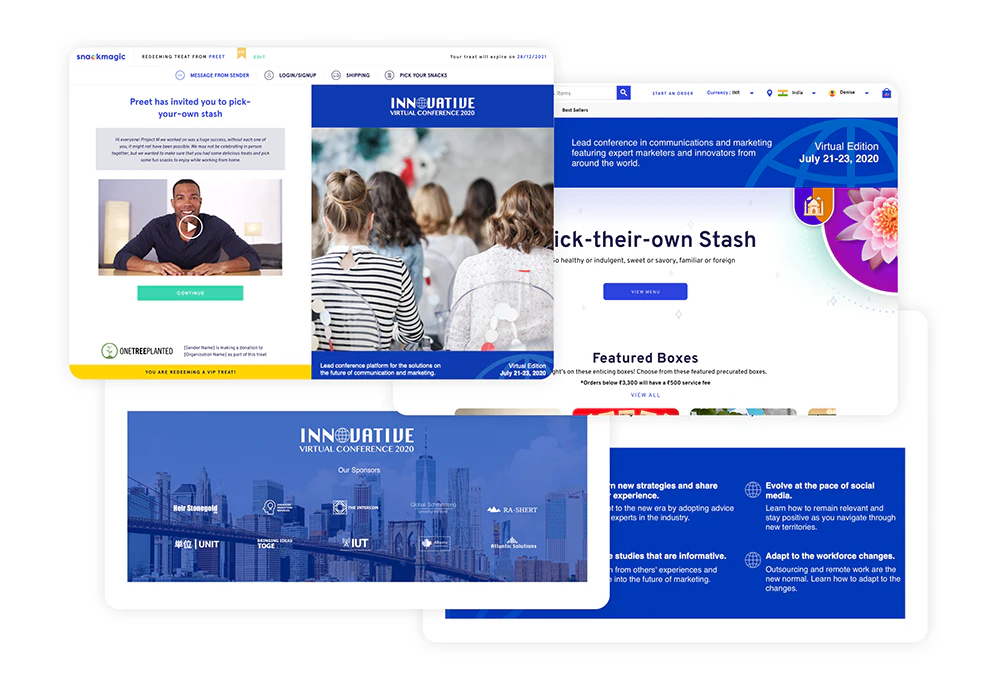
Include custom banners in the digital journey
Starting at
Customize the menu experience with your artwork. Include your logo, message, or custom graphics.
PRICING
Rs. 100/recipient
LEAD TIME
At least 2 business days prior to invitations going out
ARTWORK
Upload from Treats Dashboard
ARTWORK SPECS
Image sizes for Recipient Landing Page is 2400*2400 px,
Menu top banner image size is 1680*236 px,
Menu mid-banner image size is 1215*450 px.
The image format is JPG/JPEG OR PNG format
CAPPING
Capped at Rs. 5000
Customizable Areas
There are 4 customizable areas in the experience:
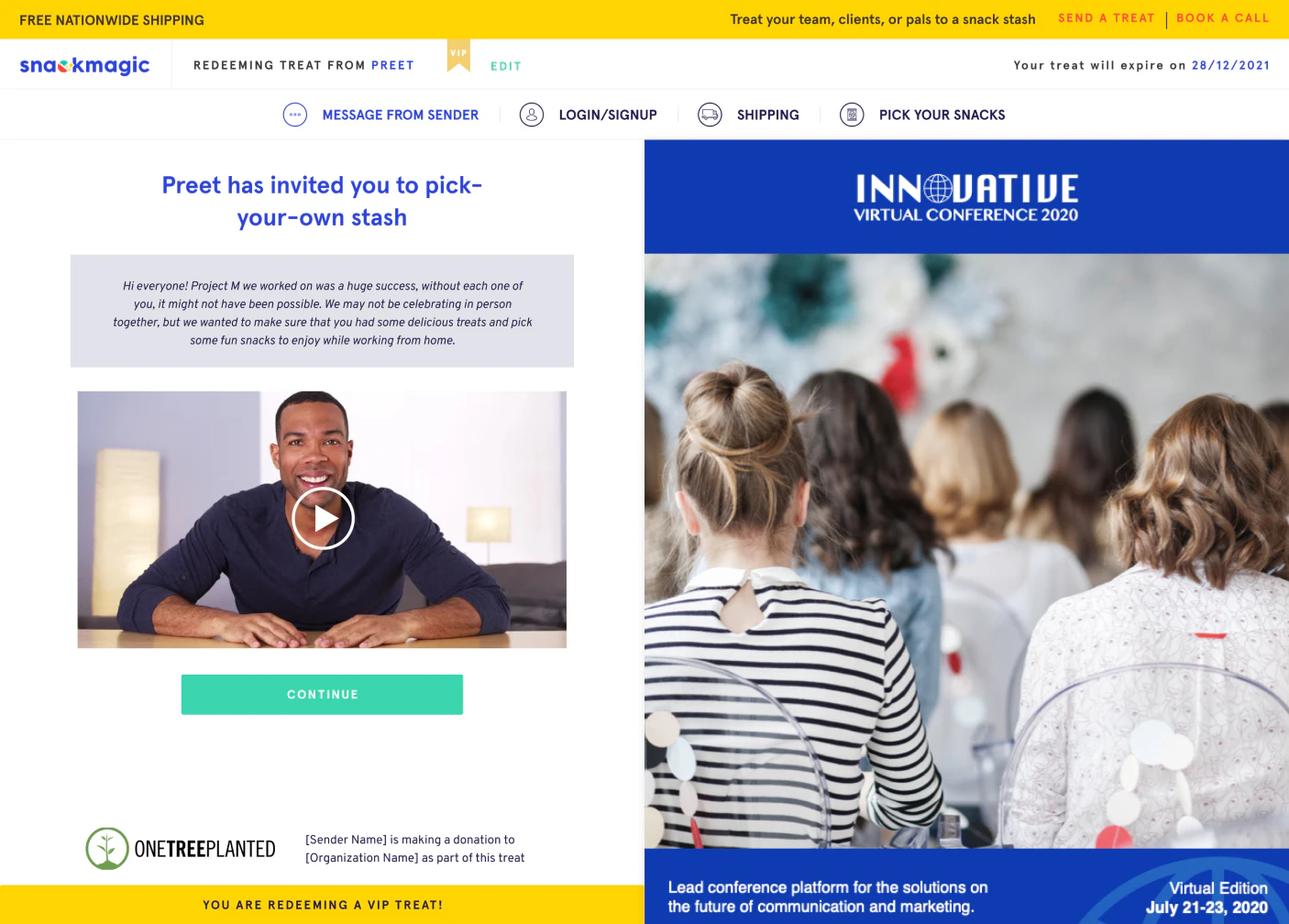
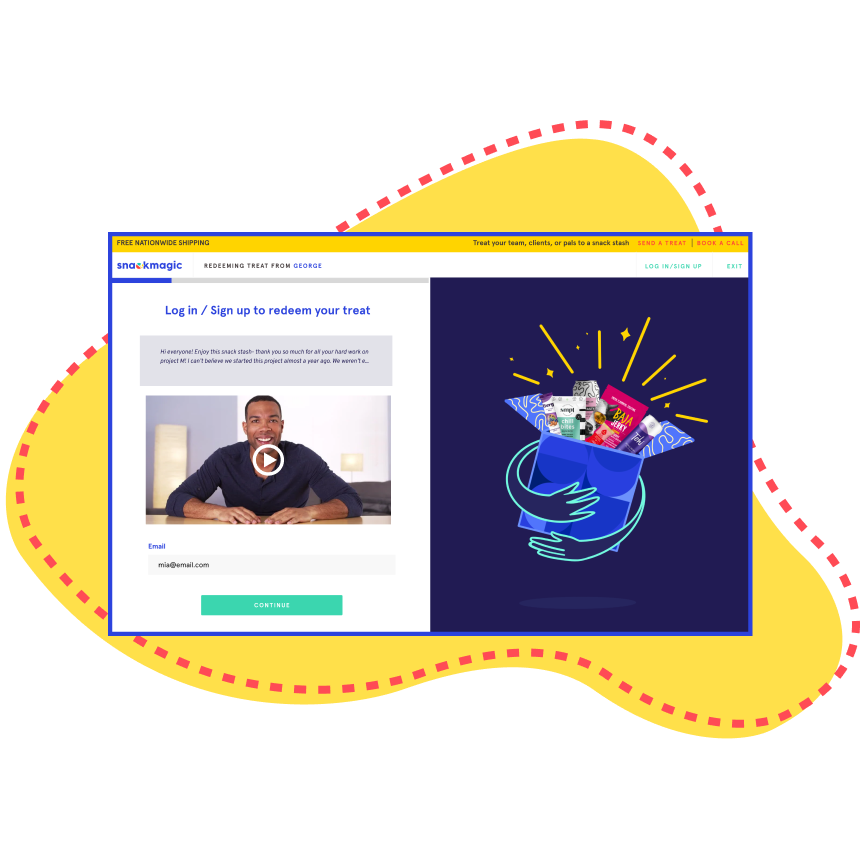
Recipient Landing Page
2400x2400 px
This is the first page the recipient sees when they open your link.
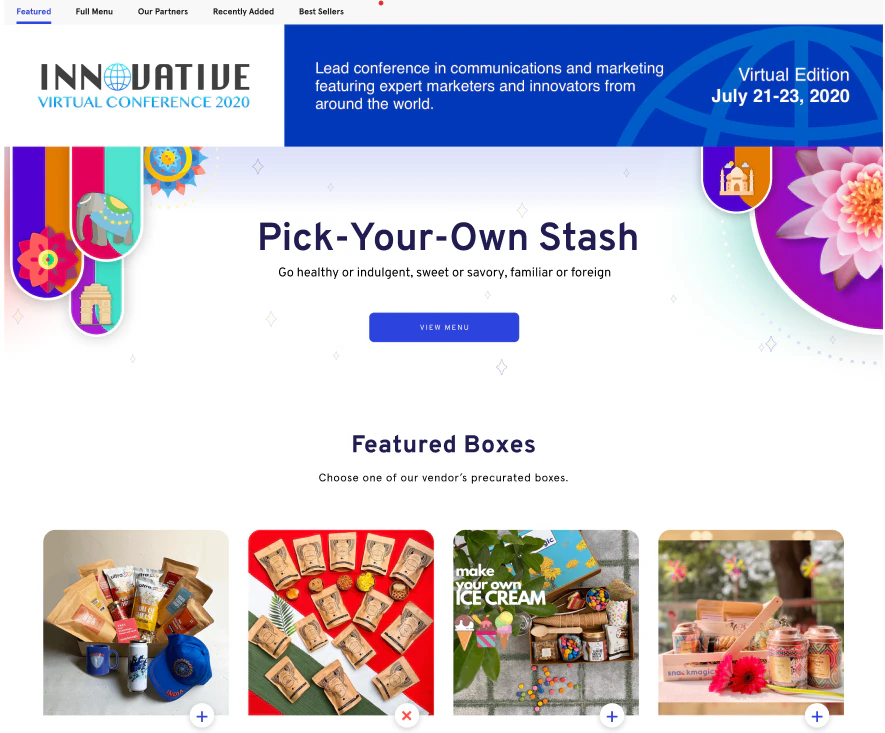
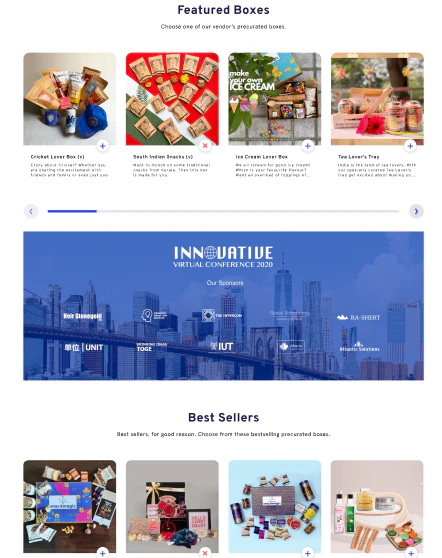
Top Banner
1680x236 px
The top banner is front and center on the featured page of the menu. Only available for build-your-own recipients
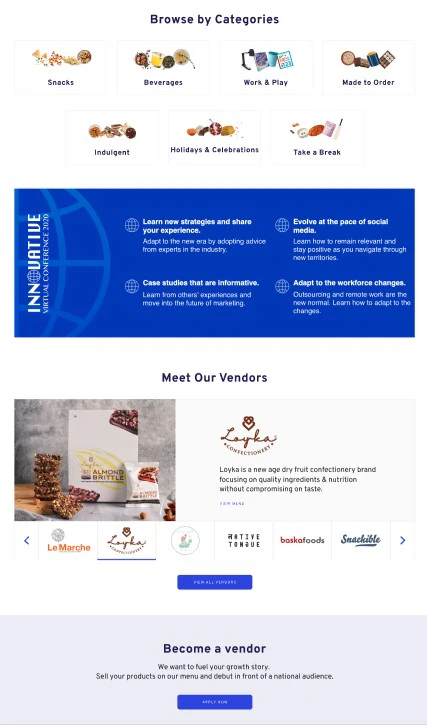
Mid Banner
1215x450 px
As they scroll through the Featured Page, they'll see a second banner. Only available for build-your-own recipients
Bottom Banner
1215x450 px
As they scroll through the Featured Page, they'll see the third banner. Only available for build-your-own recipients
How it Works
Start your order and select 'yes' when prompted to brand the digital experience.
Upload your artwork from Treats Dashboard—we customize your treat link with the banners.
Recipients see your banners when they redeem their treat.
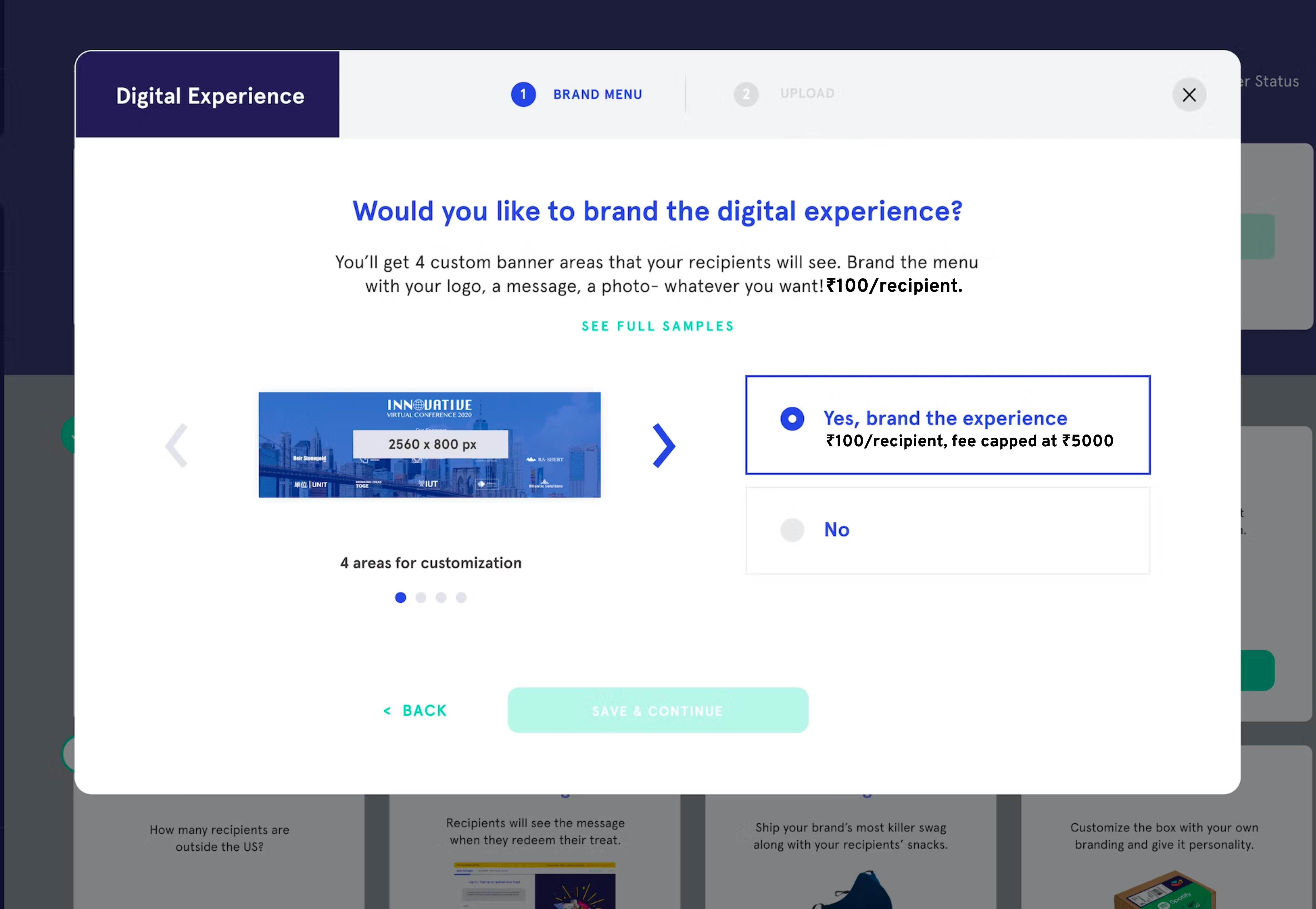
1. Customize the Menu Experience
Start your order and select 'yes' when prompted to brand the digital experience.
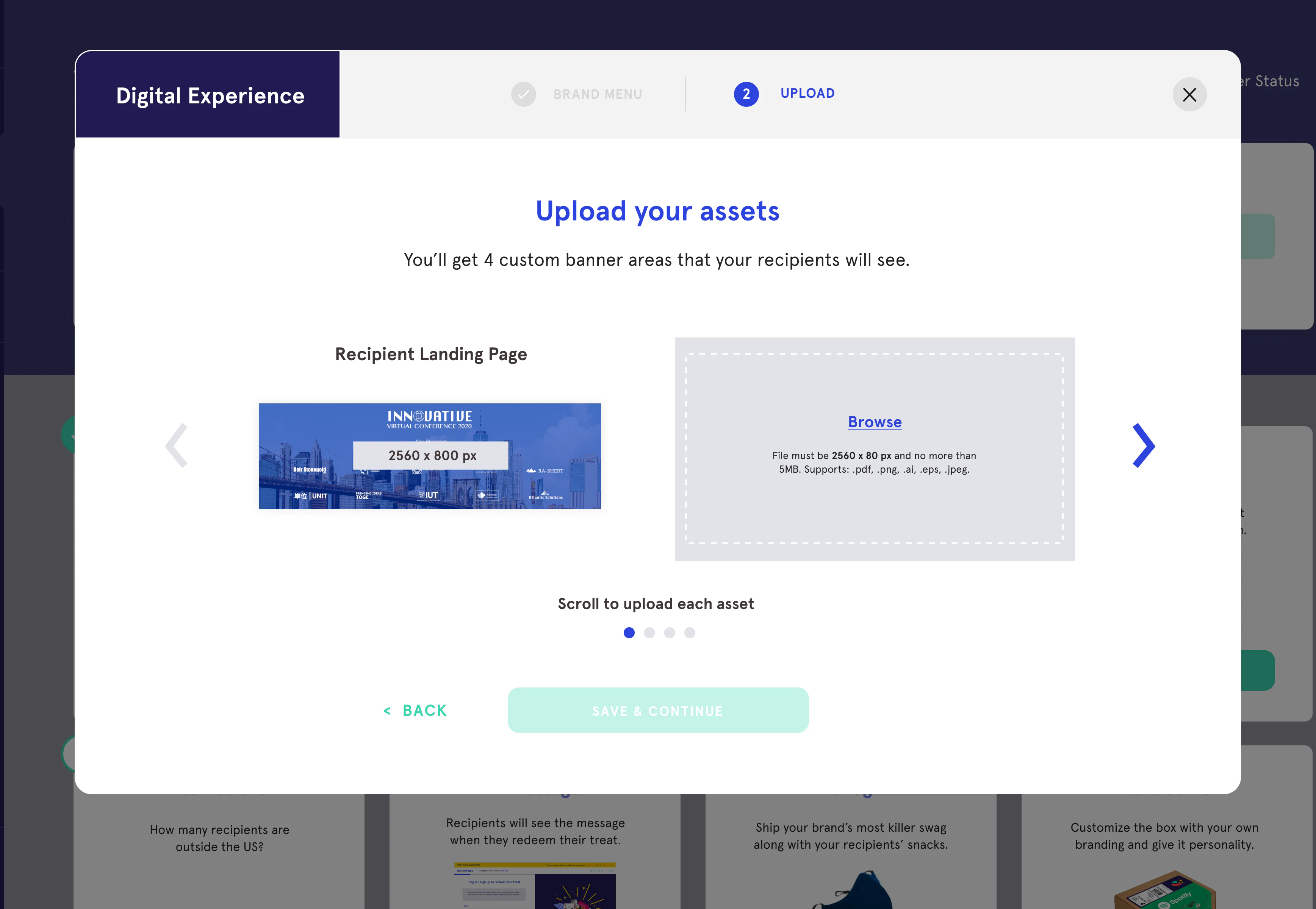
2. Upload the cards/artwork
Upload your artwork for the recipient’s digital experience from the Treats Dashboard after you place your order.
3. We add banners to the digital experience
The artwork can be seen by a new recipient as soon as it is uploaded to the Treats Dashboard.
Other Customization Options
Brand the entire treat experience with these add-ons.

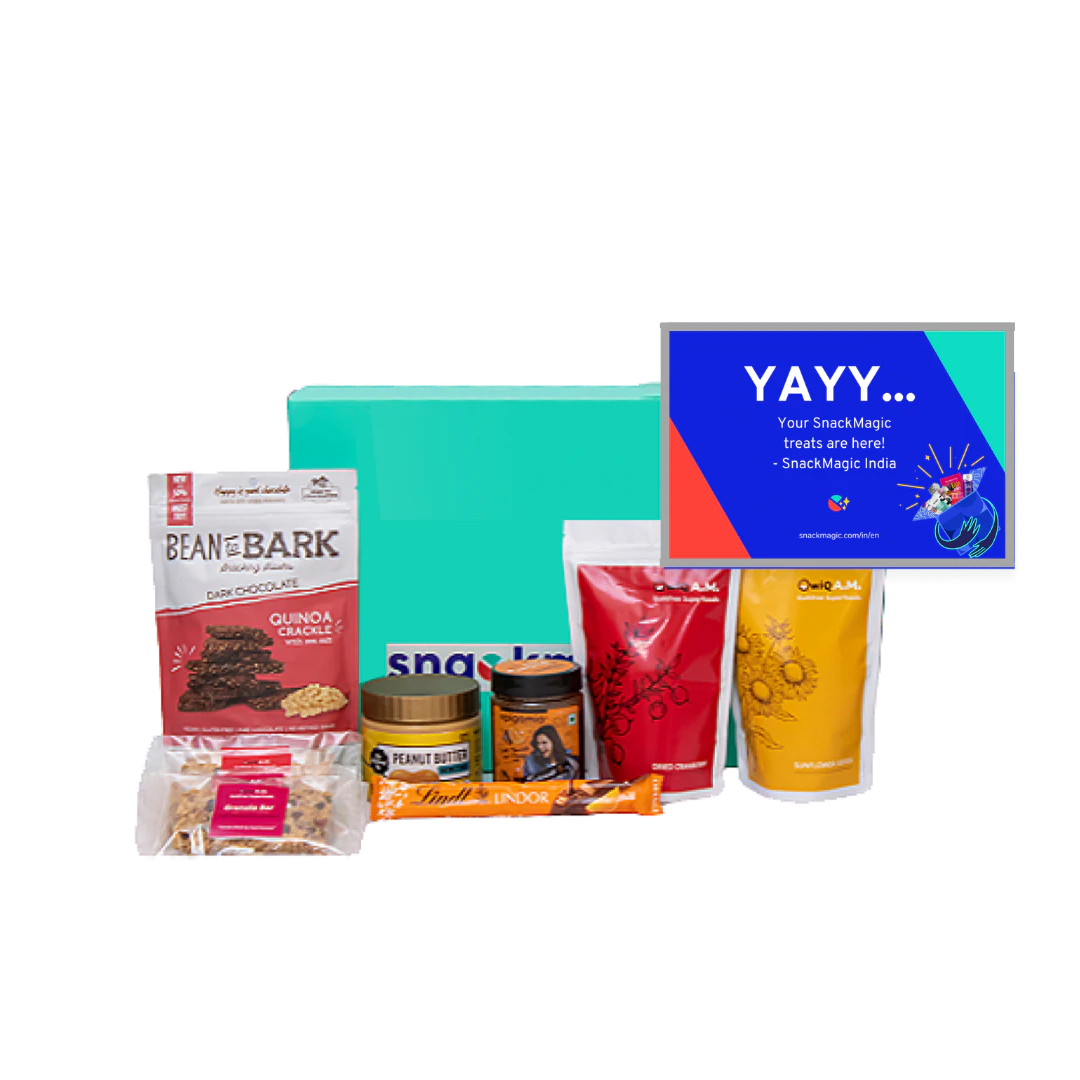

It's unique, easy to set up, affordable, and is a great gift for teams, friends and clients.
DigitalXMedia
Frequently Asked Questions
What are the artwork sizes?
Image sizes in JPG/JPEG OR PNG format for:
1. Recipient landing page 2400*2400 px
2. Menu top banner 1680*236 px
3. Menu mid banner 1215*450 px
How can I send the artwork?
You can directly upload the artwork from your Treats Dashboard, after you place your order.
How long will it take for us to upload the banners?
As quick as 1, 2, 3—it's the same as uploading any image!
Is it instant or manual?
Recipients can view the artwork in the Treats Dashboard as soon as it's uploaded.